

How to Repurpose a Video Podcast With AI: One Episode Into 20 Content Assets
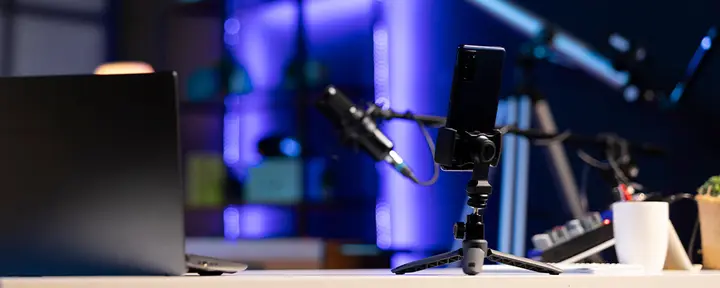
To repurpose a video podcast with AI, start with the recording and a reviewed transcript, identify ideas that can stand on their own, and adapt those ideas into clips, articles, email, and social content.
AI can help find passages, organize themes, and produce first drafts. Your job is to choose what deserves attention and make each asset useful for the audience receiving it.
For podcasters and small content teams, that approach can make the work invested in an interview go much further. A thoughtful answer that might otherwise appear once in a 45-minute episode can also help someone watching a short video, reading a newsletter, or searching for advice.
Throughout this guide, imagine a hypothetical interview called “How Small Teams Can Publish Consistently Without Burning Out.”
The host and guest discuss choosing channels, batching production, reducing approval delays, and measuring results. We’ll use that fictional conversation to map out 20 additional content assets, beyond the original episode.
These are 20 deliverables, not 20 different formats. Posting the same clip to three platforms counts as one asset. The example shows what a substantial conversation could support; the strength of your own episode should determine how much you create.
Plan the Content Before You Record
Podcast content repurposing starts with the questions you ask. If an interview consists entirely of broad observations, AI has little concrete material to work with. Specific questions invite explanations, examples, and decisions that can become useful content later.
In our hypothetical episode, “How do you approach social media?” might produce a sprawling answer. “How should a two-person team choose its first publishing channel?” gives the guest a clear problem to solve.
A follow-up about what to stop doing can reveal a useful tradeoff, while a request for a real example gives the answer substance.
You can build those opportunities into an outline without scripting every response. Identify the audience’s main questions and make room for complete answers.
When a guest refers to “that approach” or “the thing we mentioned earlier,” a brief clarification helps the eventual excerpt make sense to someone encountering the show for the first time.
Recording quality also affects what you can reuse. Boomcaster records participants locally and provides isolated audio and video tracks, giving you more control when refining a conversation. Planning the outputs alongside the recording is part of a video podcast production workflow that considers both the full episode and the shorter pieces it may produce.
Use Live Production to Make Your Footage More Useful
The visual information you include during recording can help an excerpt carry its own context. If a guest explains a weekly production schedule, showing that schedule gives viewers something concrete to follow. A layout change can bring attention to the person explaining a process, while a relevant graphic can make an unfamiliar term easier to understand.
Boomcaster’s LiveEdit and live production tools let you bring graphics and media into the session and adjust the presentation as you record. In our example, the host could display a simple weekly schedule while the guest walks through how a small team batches its work.
That segment then contains both the explanation and its visual reference.
Use those elements selectively. A graphic that looks clear in a full-width episode may become unreadable in a vertical crop. Keep essential information away from the edges, check the smaller-screen version, and make sure the speaker’s explanation remains understandable for audio listeners.
Our guide to using graphics and video during production explores how these elements can support a show.
Create a Reliable Transcript and Content Map
A transcript gives you a searchable source for the next stage. Before using it with an AI assistant, review speaker names, specialist terms, numbers, and any passage you intend to quote. Compare important details with the recording, especially where speakers overlap or a transcription looks uncertain.
Boomcaster’s transcript-based editor helps you navigate the recording through its text and refine the audio and video. That makes it easier to revisit a useful answer without searching through the entire conversation. You can also use the transcript as source material for planning written assets, as we explain in our guide to creating and reusing podcast transcriptions.
Build a content map around ideas rather than formats. For each promising passage, note the audience question it answers, its location in the recording, and the format that would serve it well.
A demonstration may belong in a clip. A nuanced argument may need an article. A sequence of steps may become a checklist.
A general-purpose AI assistant can help organize those passages and suggest angles. Give it the reviewed transcript and ask it to point to the source for every suggestion. Treat generated timestamps as references to verify against the actual recording; exact quotations must match the speaker’s words.
Turn the Episode Into 20 Content Assets
Here is one possible content package for our hypothetical interview. Each item has a distinct angle or purpose. The full episode and the working transcript are source materials and are excluded from the count.
| Assets | Deliverables | Example from the hypothetical episode |
| 1–6 | Six short video clips | Choosing a channel; planning the week; batching work; resolving approval delays; choosing metrics; maintaining a minimum schedule |
| 7–10 | Four standalone social posts | A channel-selection argument, a batching lesson, an approval tip, and a measurement takeaway |
| 11–13 | Three quote graphics | Three distinct, exact quotations selected from the recording |
| 14–15 | Two carousels | A weekly production workflow and a guide to diagnosing publishing bottlenecks |
| 16 | One search-focused blog article | A practical guide to building a weekly publishing routine |
| 17 | One newsletter | An email developing the episode’s strongest lesson |
| 18 | One show-notes page | An episode summary with chapters and referenced resources |
| 19 | One downloadable checklist | A weekly planning checklist built from the discussion |
| 20 | One standalone FAQ resource | Answers to common questions about sustainable publishing |
Create and Refine Six Short Video Clips
The first six assets answer six different questions. One clip explains how to choose a channel, another shows the planning process, and another deals with approval delays. Someone should be able to watch any one of them and leave with a useful idea.
Boomcaster creates automatic clips from your episodes to help with content production. You can review those clips and create additional ones directly inside Boomcaster when there is another moment you want to use. Automatic clips provide a starting point, while your knowledge of the audience helps determine which moments belong in the final selection.
Review each clip’s beginning and ending. Open where the question or idea becomes clear, retain the context needed to understand the answer, and finish after the promised point has been delivered. An excerpt can lose its meaning if a qualification or exception is removed just to make it shorter.
Check captions against the audio, confirm that names are correct, and inspect the framing and graphics on a phone. Adapt the presentation for the destination, but count a resized version of the same excerpt as the same content asset.
Develop Written Content From the Transcript
The four social posts should develop individual ideas from the conversation. In our example, one could explain why a small team might focus on one channel, while another describes how an approval deadline keeps production moving. Each post needs enough explanation to be useful without requiring the reader to watch the episode first.
The blog article should explore a question in greater depth. A focused guide to building a weekly publishing routine gives the writer a clearer structure than a chronological recap of everything discussed. Use the interview’s explanations and examples, then verify any additional information needed to make the guide complete.
For the newsletter, choose the lesson most relevant to subscribers and explain why it matters to them. The show-notes page serves a different purpose: it helps people decide whether to listen and find topics, people, or resources mentioned in the episode. Our guide to writing useful podcast show notes explains what that page should contain.
An AI writing assistant can help structure and draft these pieces from the transcript. Review the result for accuracy and voice, add the context each format needs, and remove any unsupported claims. A paraphrase can summarize an idea, but it must never be presented as a direct quotation.
Build Graphics and Practical Resources
The three quote graphics each feature a different line that captures a useful idea. Choose the quotations from the actual recording, preserve their meaning, and attribute them correctly. Because our running episode is fictional, these are suggested asset types rather than quotations from a real guest.
The two carousels organize different material: one walks through a weekly production process, while the other helps a team identify why publishing keeps getting delayed. The checklist turns the planning discussion into a resource someone can use at their next production meeting.
Use your preferred design tool to assemble those assets from the approved copy and your brand templates. AI can help shorten slide text or structure a checklist, but the final design still needs readable type, sensible spacing, and a clear sequence.
For the twentieth asset, build a standalone FAQ resource around questions the episode actually answers. Give each question a concise response with enough context to make sense independently. This can live on your website or in an existing resource library, with a link to the conversation for readers who want more detail.
Give AI Specific Instructions for Each Asset
An instruction such as “turn this episode into content” leaves too many decisions unresolved. Tell the assistant who the content is for, what it should accomplish, which source material to use, and what form the output should take. Work from an approved set of ideas so errors in an early summary do not spread into every draft.
These prompts can be used with your preferred AI assistant. Supply the reviewed transcript along with the request.
Prompt for Finding Useful Moments
Using only this transcript, identify six distinct passages that answer questions a podcaster or small content team would care about. For each passage, provide the audience question, the exact opening and closing words, the speaker, and an existing timestamp if available. Explain what context the excerpt needs. Do not invent timestamps, quotations, or claims.
Prompt for Structuring a Blog Article
Using only the approved transcript passages, outline a practical article about building a sustainable weekly publishing routine. Write for a two-person content team. Organize the article around the reader’s decisions, include examples supported by the transcript, and identify missing information that needs research. Label paraphrases and keep direct quotations exact.
Prompt for Drafting a Newsletter
Draft a newsletter around the approved passage about production bottlenecks. Explain the problem, develop one useful lesson, and give readers a reason to watch the full episode. Use the attached writing sample for tone. Do not add statistics, results, personal experiences, or quotations that are absent from the source.
Review the output alongside the source before moving on to design or scheduling. This is also the moment to replace generic language with the host’s vocabulary and remove repetition across the package.
Build a Publishing Routine Your Team Can Maintain
A content package becomes useful when it fits into your actual production schedule. You do not need to release all 20 pieces at once, and every channel does not need every asset.
For our example, an illustrative three-week sequence could begin with the episode, its show-notes page, a newsletter, and one introductory clip. The next week could develop the practical advice through more clips, a carousel, and the blog article. The remaining assets could appear later as follow-ups or when a relevant audience question comes up.
Keep the destinations clear. A short clip can invite someone to watch the episode, while a post about planning might point to the checklist. Match the next step to the interest that brought the person there.
A solo creator might begin with two clips, one email, and one useful post, keeping other ideas in reserve. A small team can divide editing, writing, and design while giving one person responsibility for the final review. Our record-to-publish workflow provides a broader structure for keeping those handoffs manageable.
Maintain one shared record of the source episode, approved angle, owner, destination, and publishing status for each asset. That small amount of organization helps prevent duplicate work and makes it easier to reuse evergreen material later.
Measure Which Assets Bring People Back
Evaluate an asset according to what you wanted it to do. A discovery clip needs to hold attention long enough to communicate its idea. A checklist should be useful enough for people to save or download. A newsletter inviting subscribers to watch an episode can be assessed through the clicks it generates.
Views alone cannot establish whether a clip created new podcast listeners. Where possible, use tagged links to identify visits from individual campaigns and compare relevant results across similar publishing periods. Keep in mind that a person may encounter several pieces before deciding to subscribe.
Once you have enough comparable data, an AI assistant can help organize patterns by topic, format, or audience question. Our guide to using AI as a podcast analyst describes ways to examine your show’s data. Use the findings to shape the next recording: an idea that prompts useful questions may deserve a deeper conversation, while a frequently skipped explanation may need a clearer introduction.
Frequently Asked Questions
How Do You Repurpose a Video Podcast With AI?
Start with the recording and a reviewed transcript. Identify ideas that can stand alone, use AI to help organize and draft adaptations, then refine the clips, written pieces, and graphics for their intended audiences. Check every asset against the source before publishing.
What Content Can You Create From One Podcast Episode?
A substantial episode can support short video clips, social posts, quote graphics, carousels, blog articles, newsletters, show notes, checklists, and FAQs. The number depends on the conversation’s depth and variety. Reposting an identical clip on another platform does not create a new underlying asset.
Can AI Turn a Podcast Transcript Into a Blog Article?
AI can help outline and draft a blog article from a transcript. Choose a focused reader question, organize the relevant passages around it, and edit the draft for clarity and accuracy. Verify any added context, preserve quotation wording, and avoid publishing an unreviewed transcript summary.
How Do You Choose Podcast Moments for Short Clips?
Look for passages that answer a clear question, explain a process, describe an experience, or develop a useful argument. Keep enough context for a new viewer to understand the point and retain qualifications that affect the speaker’s meaning.
Do You Need to Publish All 20 Content Assets?
No. Choose the assets that serve your audience and fit your team’s capacity. A smaller package of strong, useful pieces is a sensible starting point. Expand it when the episode contains enough material and your workflow can support the additional production.
Give Every Good Conversation More Places to Be Found
A good podcast conversation often contains ideas that people would find useful even if they never encounter the full episode. Thoughtful repurposing gives those ideas a form that suits the moment: a short explanation in a feed, a practical guide in search, or an email that helps someone make a decision.
Boomcaster brings recording, live production, transcript-based editing, and clipping into the workflow, helping you carry more of the original conversation into your next piece of content. Start with one episode, choose the ideas worth developing, and build a publishing routine you can repeat.
Start your free Boomcaster trial and put your next episode to work across more of your content.